A good email signature feels small, but it works hard. It adds trust, personality, and a bit of polish to every message you send. And when you think about how many emails you send in a week… yeah, the signature matters.
There are plenty of tools that promise to build a clean, professional signature for you. Some are bare-bones. Some feel like they were built for enterprise IT departments. And some sit right in the middle, offering enough flexibility without burying you in features you’ll never touch.
Let’s walk through six popular generators and see how they compare: SignatureForEmail, HubSpot, Canva, Zoho, Maileroo, NewOldStamp, and Gimmio. Each one brings a slightly different idea of what “a good signature” looks like.
SignatureForEmail.com Email Signature Generator
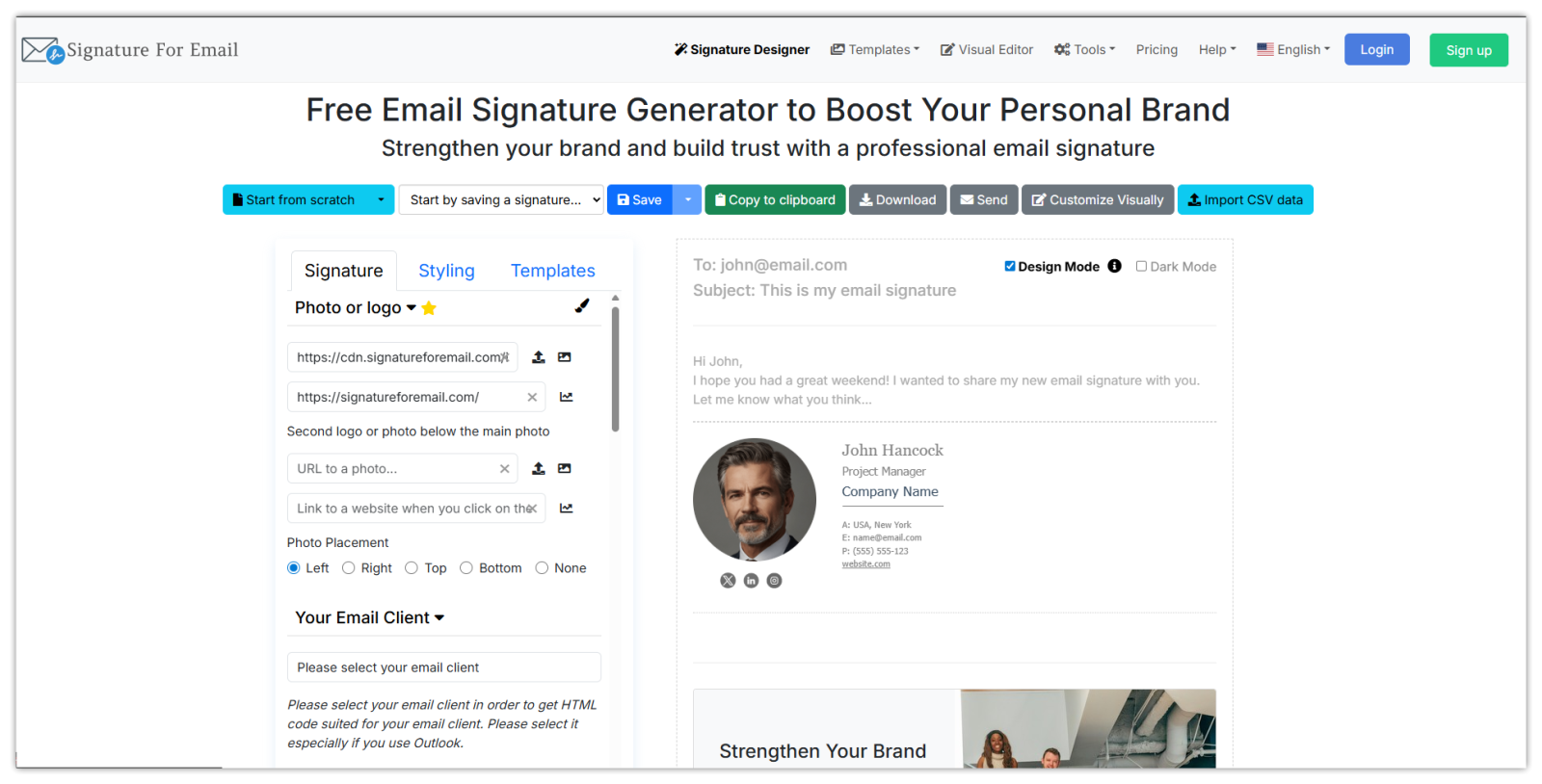 This tool was created by someone who actually understands the awkward parts of making a signature. You start with a clean editor, enter your details, tweak the layout, add a clickable photo and a company logo, a banner, icons, and you see everything update in real time. What helps most is that your email signature isn’t locked into templates, which can be applied as well. You can build something simple or something more branded without fighting the editor.
If you need full control over the generated email signature, you can even fine-tune it in the Visual WYSIWYG editor. You can paste email signatures from other websites and customise them.
The other thing users appreciate is how simple it is to save signatures online, store images, and reuse layouts. Small businesses and freelancers get the benefit of cloud storage without enterprise-level friction. And it works well for people who want more than “copy this block of text and paste into Gmail.”
If you're using Google Analytics on your website, you can easily add tracking UTM parameters to your URLs to monitor how many times a given link was clicked.
You can create a basic email signature for free, but if you need more, the pricing is one-time payment or subscription-based, and it’s still affordable. Plans differ in how many signatures and images you want to store. If you send a lot of emails and need multiple signatures—say one for sales, one for support—this flexibility matters.
HubSpot
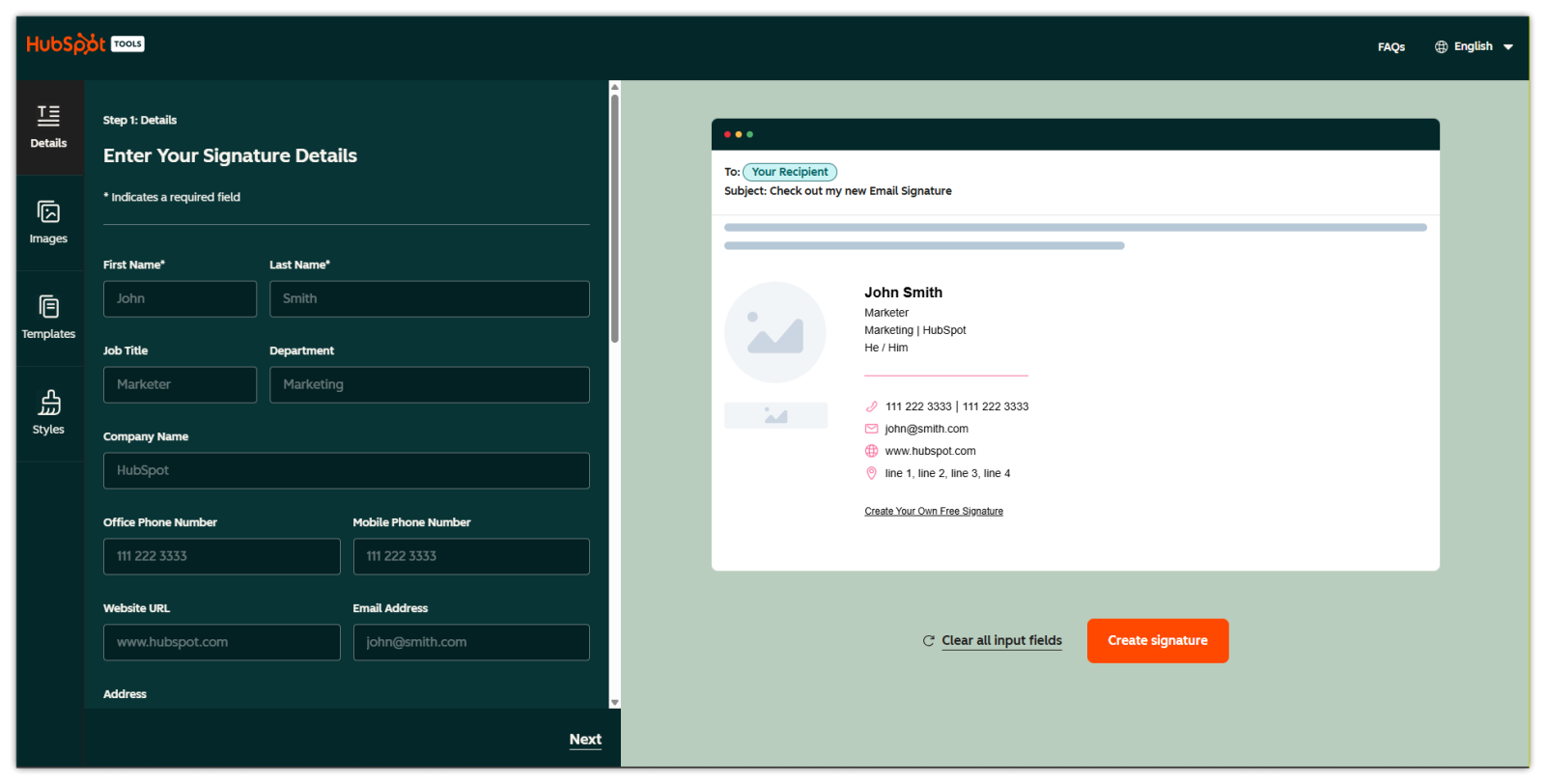 HubSpot’s free generator is one of the first tools people try because… well, it’s HubSpot. The tool gives a handful of decent templates and lets you add your details fast. But it’s simple by design. You can’t do custom layouts, and you don’t get cloud storage.
It’s great for someone who wants a “good enough” signature in five minutes. But once you want to tweak colours or add custom banners, you hit limits fast. And since it’s free, you're the product in a way—HubSpot gently nudges people toward its CRM ecosystem. That’s not a bad thing, but it’s part of the experience.
Pricing? Free, unless you move into the broader HubSpot world. For a quick one-time signature, it works. For ongoing professional use, you might want something more flexible.
Canva
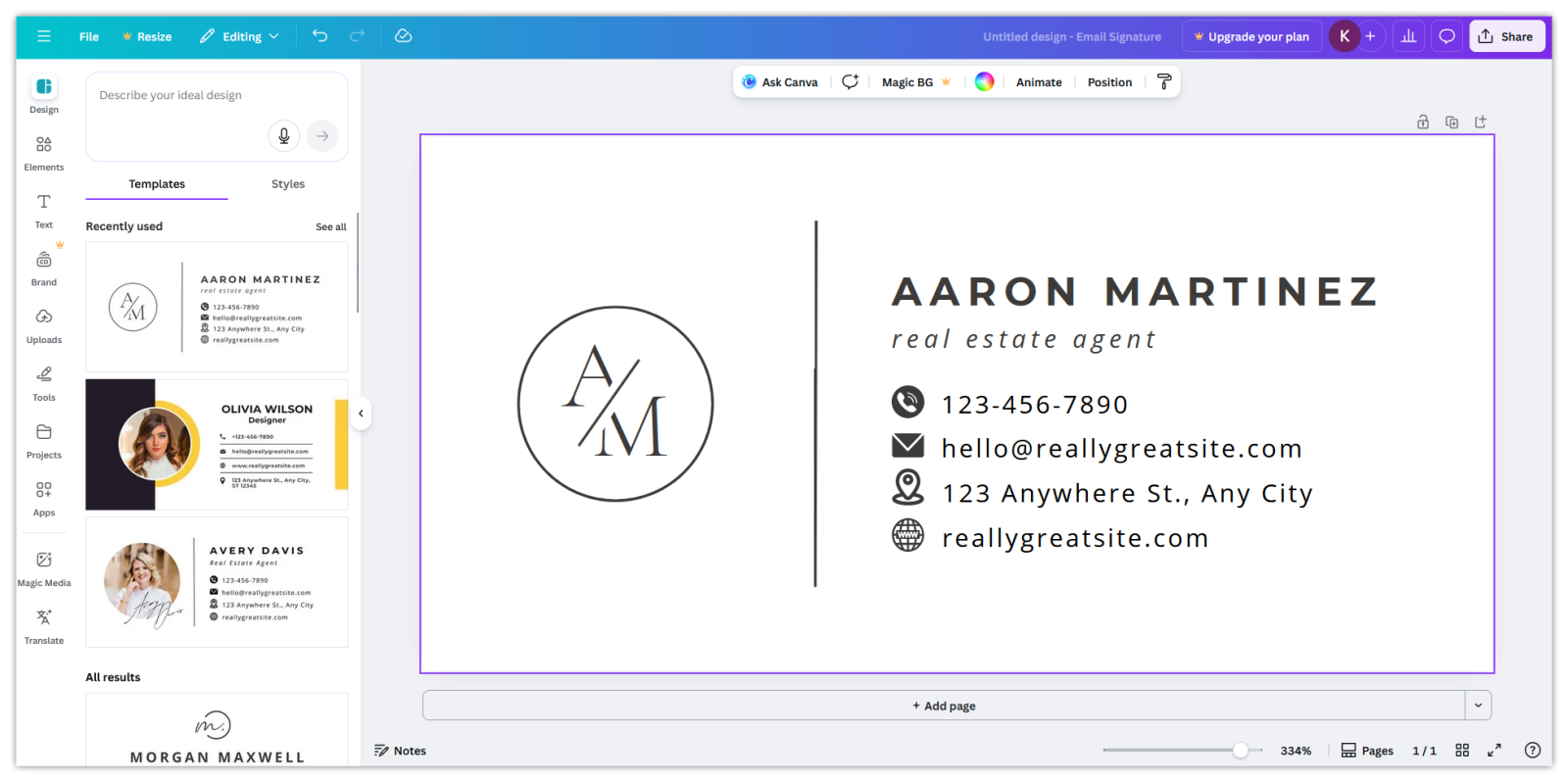 If you’ve ever touched Canva, you know what to expect: lots of templates, lots of design freedom, and a feeling that you’re decorating more than building. Canva’s email signature templates look nice at first glance, almost like mini branding boards. The downside is that most of them are basically images, which can be blocked by email clients, nothing can be clicked (no links), etc. And full-image signatures don’t play well with email clients.
You can export HTML signatures, too, but the process is clunky. You design in Canva, export, try to copy the generated HTML, adjust it manually, and hope it behaves the same in Gmail, Outlook, and mobile apps. Email HTML is finicky. Canva HTML wasn’t built for that finickiness.
If you’re already a Canva Pro user and only need a simple, good-looking signature, it’s fine. Price-wise, it’s basically free if you're using Canva anyway. But it’s not a dedicated signature tool, and it shows.
Zoho Signature Generator
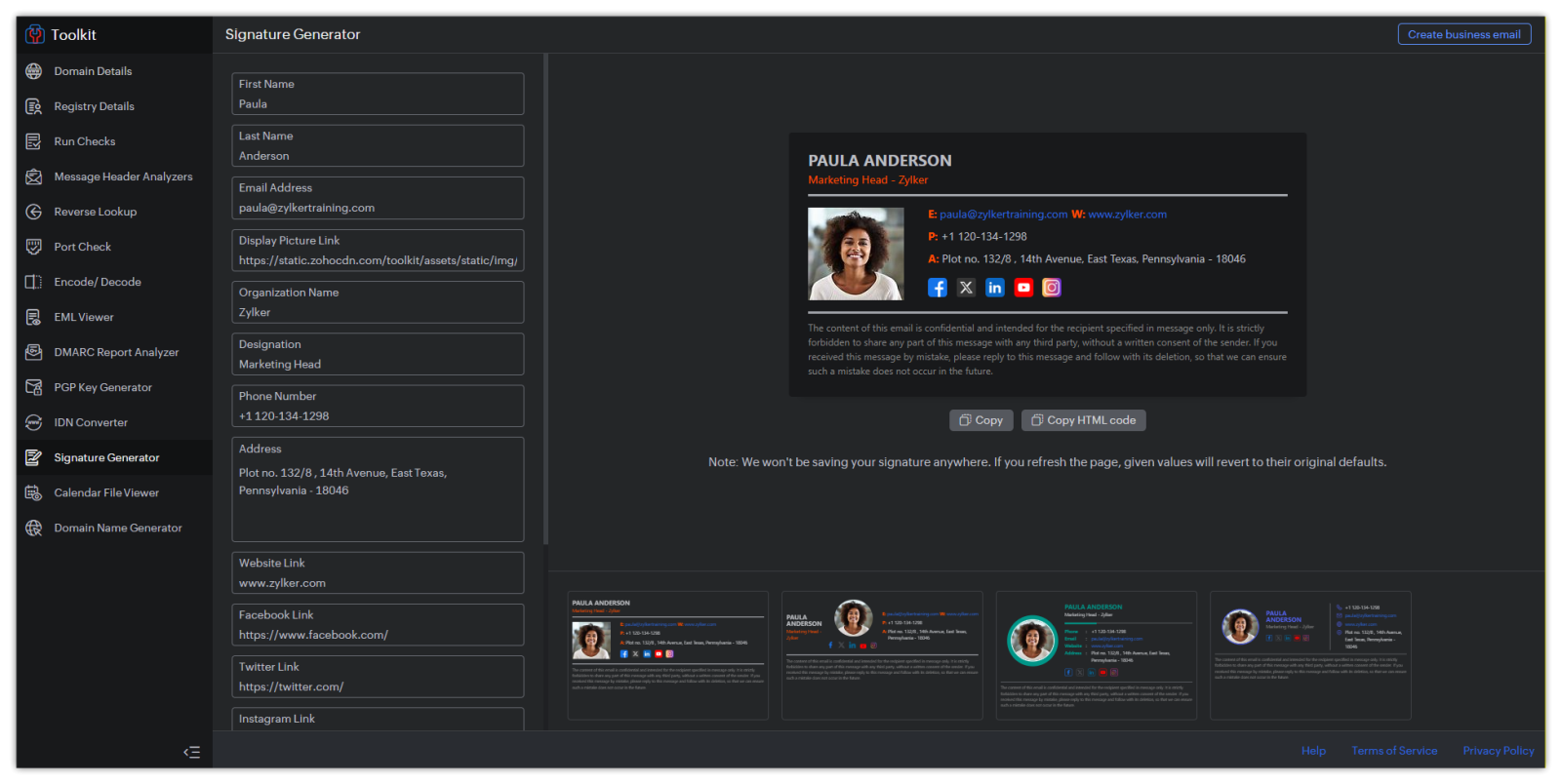 Zoho offers a small, free generator that lives inside its Zoho Mail tools site. It’s minimal—almost spartan. Templates are limited. Styling options are limited. Image support exists, but not with the sort of control some users expect. No image cloud hosting, you have to enter a URL to the image. It feels like an add-on, not a fully developed standalone feature.
That said, Zoho Mail users who want a basic signature inside the Zoho environment will find it useful. It does the job, as long as you don’t need mixed layouts, banners, or marketing blocks.
The price is the best part: totally free. But with that comes the usual trade-off: less control, fewer features, and no real personalisation beyond basic fields.
Maileroo
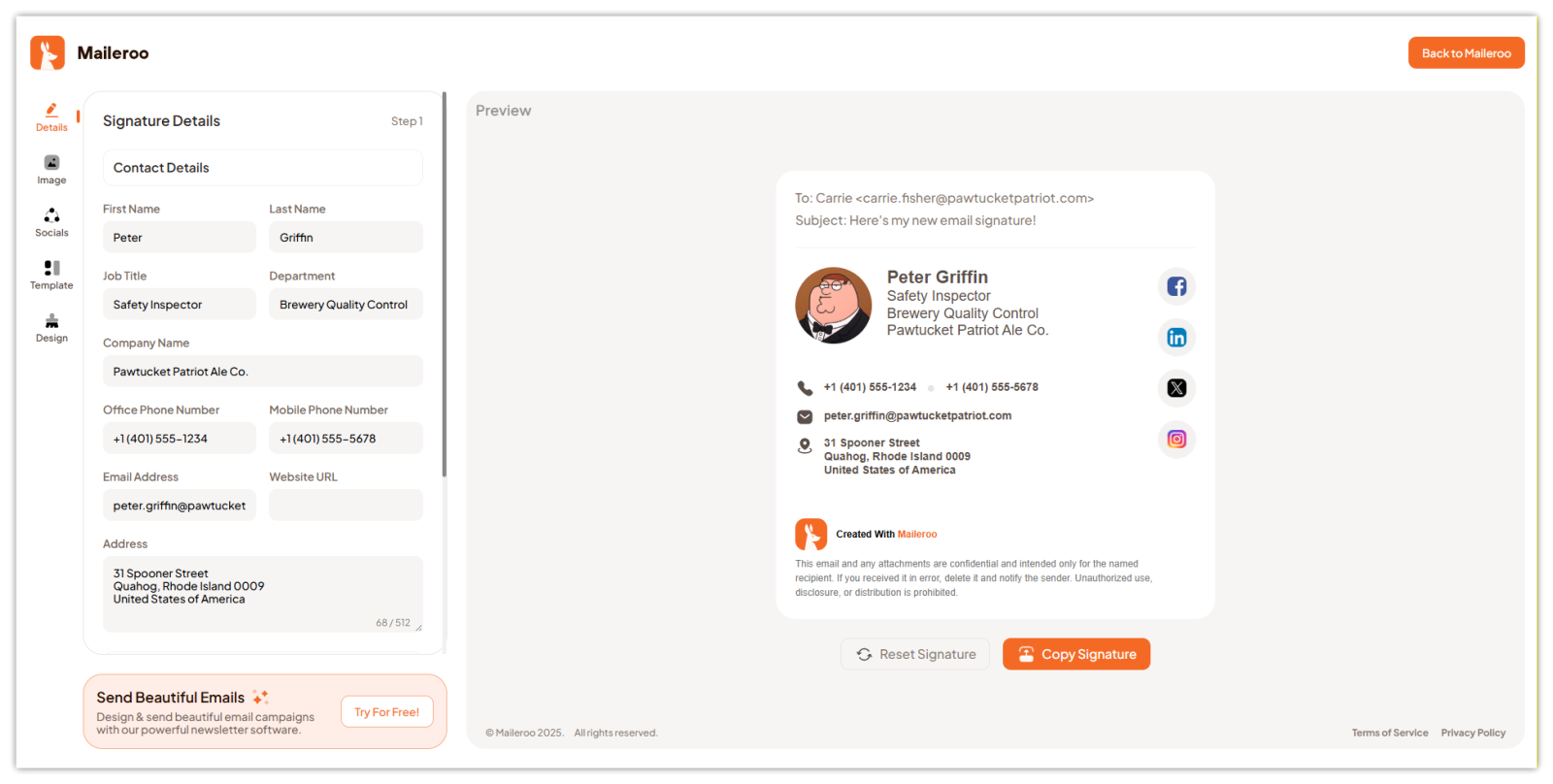 Maileroo likes to position itself as a simple, accessible generator. It offers a straightforward editor with a few template choices, image support, and simple social icons. It’s quick. It’s easy. And if all you need is something clean you can paste into Gmail, it ticks the box.
Where it falls short is deeper customisation. You can’t rearrange blocks with much freedom. Pasting a signature in Outlook does not work well.
It’s free, which is always welcome. But because it's free, many people end up wanting more control than Maileroo offers.
NewOldStamp
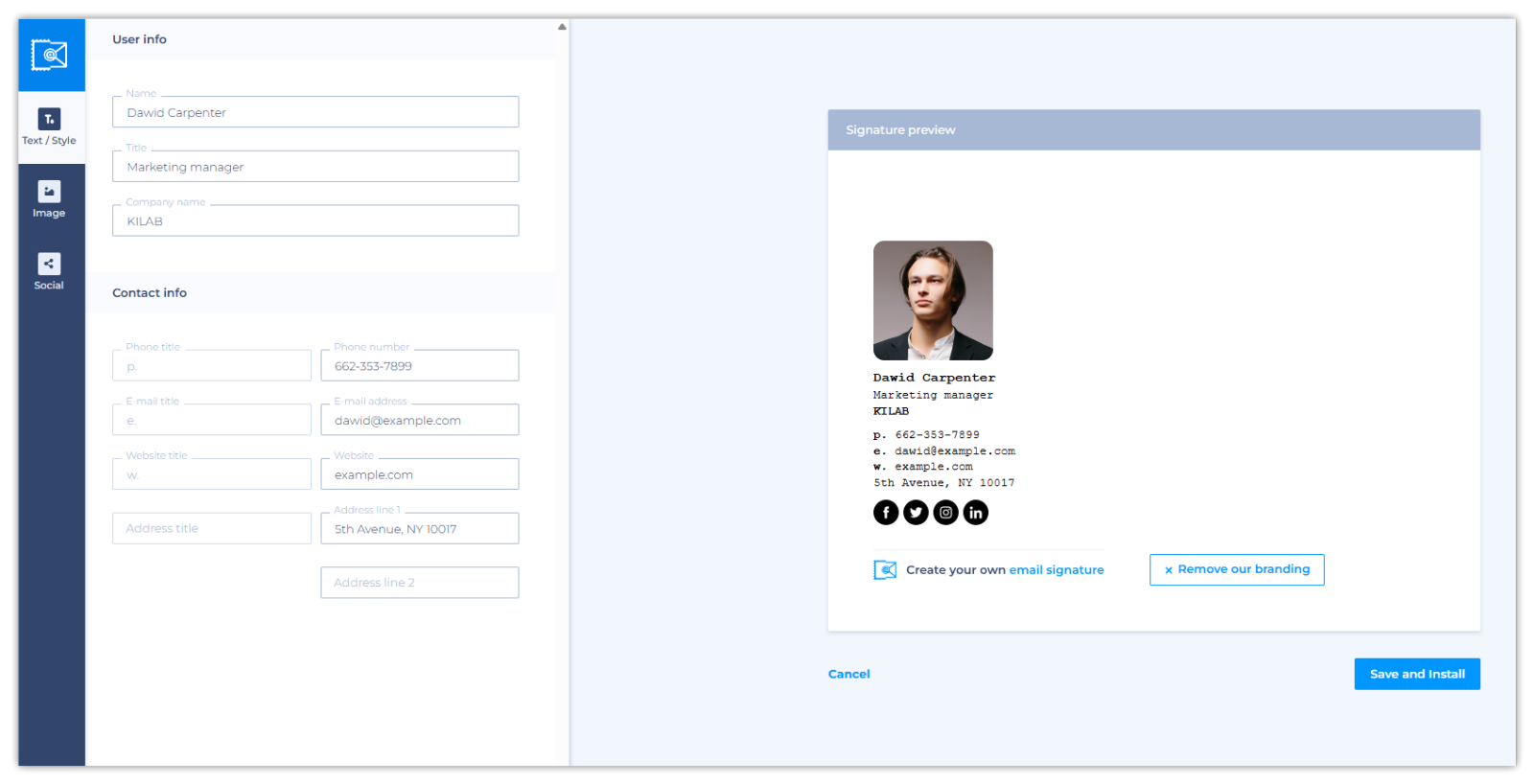 This one aims at teams. You can feel it in the interface. It has lots of template options, a strong set of brand controls, and even ways to keep company-wide signatures consistent. There's campaign support too—banners that rotate seasonally or promote new products. Marketing departments love that.
The downside is price. It’s one of the more expensive options, especially once you add multiple users. For a solo freelancer, that cost can feel heavy. For a company with five employees? Maybe worth it. For fifty? You’ll feel it.
Gimmio
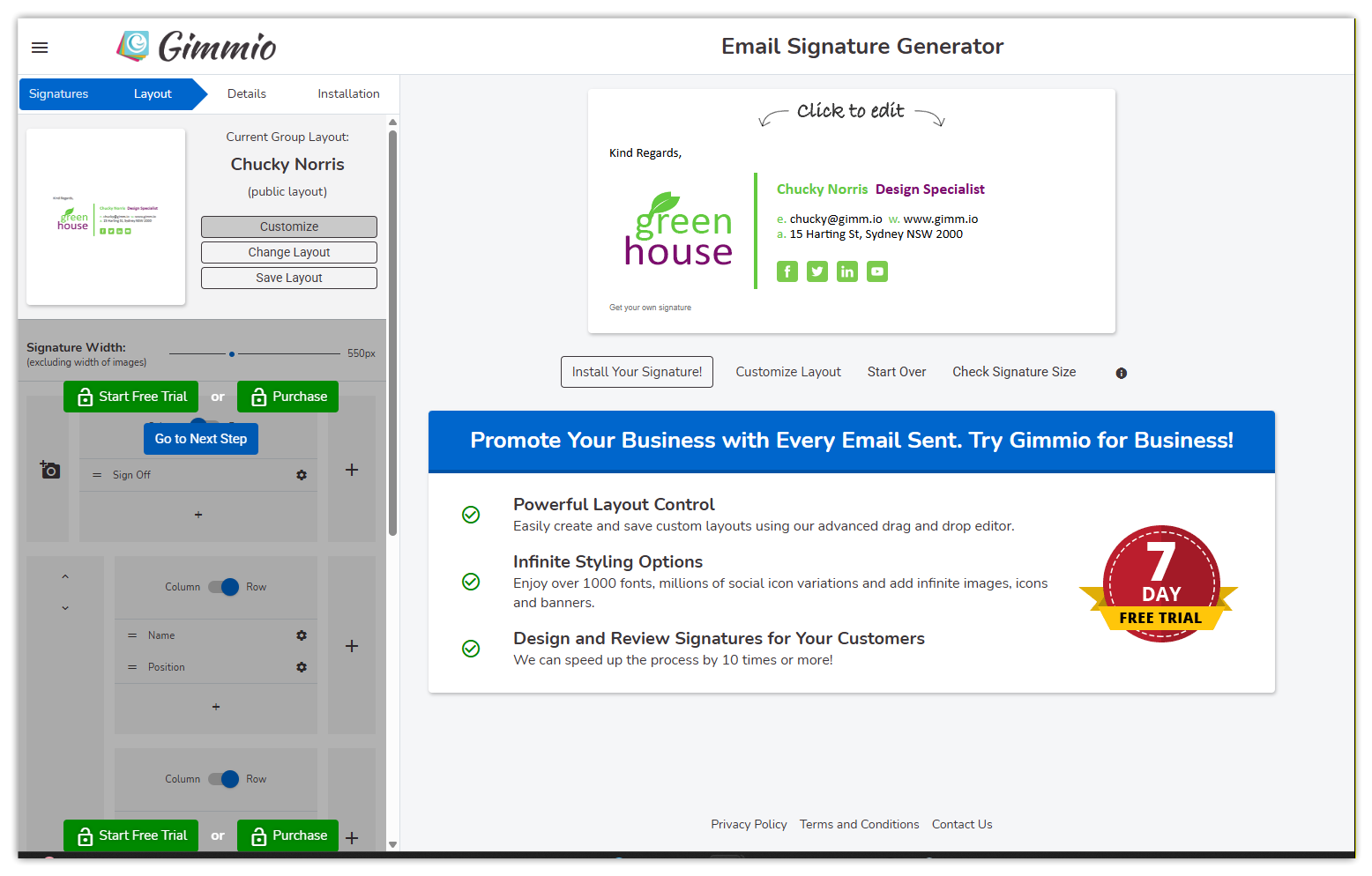 Gimmio gives you customisation power almost to a fault. Every small detail can be tweaked—spacing, fonts, icons, borders. If you enjoy adjusting the fine print of your layout, you’ll like it. If you prefer a clean “drag it here, drop it there” interface, you may feel overwhelmed.
It’s also one of the few tools that can generate very unique layouts. Some signatures look more like small profile cards than signatures, which is fun for creative industries.
Pricing is mid-range. More than the free tools, less than team-focused platforms. The editor feels older in style and harder to use.
Pricing Comparison
| Tool | Free Option | Paid (starting) | Notes |
|---|---|---|---|
| SignatureForEmail.com | Yes (limited) | ~$5/month or ~$30/year/one-time (up to 3 signatures) | Save 3/50/200 signatures + photos stored online |
| HubSpot | Free | N/A | Free; no paid tier, no image hosting |
| Canva | Yes | (Canva Pro ~$15/month) | Not signature-specific pricing, part of Canva Pro |
| Zoho | Free | N/A | The tool itself is free to use, with no image hosting |
| Maileroo | Free | N/A | No paid plan mentioned |
| NewOldStamp | Free trial | ~$54/year per user (billed only yearly) | Pricing varies by team size and billing cycle |
| Gimmio | Free trial | ~$4/month or ~$28/year (only 1 signature) | Business & agency tiers |
So which email signature generator to pick?
It depends on how much control you want and whether you need to store images online or reuse saved signature designs.
If you want:
• A dedicated, flexible editor with cloud storage for images and signatures → SignatureForEmail.com
• A free tool for one signature → HubSpot or Maileroo
• A design-focused, template-heavy approach → Canva
• A simple free tool inside an email suite → Zoho
• A company-wide solution with marketing banners → NewOldStamp
• Deep layout customisation and lots of small controls → Gimmio
People who send email as part of their identity—business owners, consultants, sales teams—usually want something they can update, save, and improve over time. That's why dedicated tools tend to win in the long run. Free tools are great when you only need a basic one-time signature. But when you care about your brand or your signature details change frequently, a flexible editor with proper cloud hosting becomes worth it.
Email signatures seem tiny. But in practice, they're part of your daily presence—like a digital handshake. A little attention here goes a long way, especially when you're competing for trust in crowded inboxes.